What Lounge Can Do
| Feature | What it does | Notes |
|---|---|---|
| Movies / TV / Anime / Bollywood | Live, current catalogs pulled from TMDB — not static demo lists | Needs TMDB key |
| Search | Instant local library match, then live TMDB results as you type | Needs TMDB key |
| Play a movie | Real Real-Debrid resolve → quality-filtered, colour-badged stream picker → plays in mpv, native VLC, or right in the browser | Needs RD key. Works with the PC off — resolves via the cloud relay |
| Play a TV show | Season → Episode → same real stream picker as movies | Needs TMDB + RD keys |
| Subtitles | Real OpenSubtitles search, language dropdown before you press play | Needs OpenSubtitles key — optional. Works with the PC off |
| Corner-window / native playback | mpv opens top-right always-on-top on PC; the Android app uses native VLC with full touch transport controls for files the browser can't decode | Live on both platforms |
| Picture-in-picture | Shrink live TV/sports or a movie to a small floating window and keep browsing | Android app + supporting browsers |
| Live Sports channels | Sky Sport NZ (all numbered channels) plus free-to-air/legal sports channels worldwide, with search + logos and Sky's own real fixture guide on the Sky Sport tiles | Live |
| Live TV (multi-country) | Free-to-air channel lists across several countries with search + logos | Live |
| Program guide (EPG) | Now/Next schedule data on live channels, genre-filterable | Works with the PC off (cloud-cached) once the one-time cloud storage step is done |
| Favourites (channels) | Star any Sports/TV channel — favourites always sort to the top | Channels only — movies and TV use My List instead (below) |
| My List (watchlist) | Bookmark any movie or show for later — from the poster corner, or the button on its page. Open it from More → My List. Export/import as a JSON backup | Saved on this device only — no account, no sync between devices |
| Continue Watching | Resumes where you left off, synced across PC/phone/TV app | Works with the PC off once the one-time cloud storage step is done |
| AI Assistant | Real Groq-powered chat, grounded in your library, for recommendations/help | Needs Groq key |
| Cinema Finder | Type a postcode, opens a Google search for nearby cinema showtimes | Opens external tab — no free in-app showtimes API exists |
| Scrapers | Torrentio + MediaFusion — source the streams behind Real-Debrid resolves | Live, no config needed |
| Surprise Me | Dice icon (or press S) picks a random title from what's already on screen | Live |
| Keyboard shortcuts | Press ? for a cheatsheet of every shortcut | Keyboard/remote — not touch |
| Idle ambient mode | Left untouched 5 minutes, the screen fades into a slow poster crossfade instead of sitting static | Any key/click/touch wakes it instantly |
| Playback stats overlay | Press I during playback for resolution, buffer health, and playback state | For troubleshooting a laggy stream |
| VPN status chip | Nav-bar indicator (green/red) comparing your current connection against a saved "normal" baseline, with country/operator/latency on click | Honest limit: a comparison, not a true VPN detector — no web page can see a system VPN directly |
| Remote Control Mode | Turn your phone into a remote for playback running on your PC | Needs your PC's Lounge running, same WiFi or the same PIN over the cloud relay |
| Android TV / Fire TV app | A real installed app (nz.whetu.lounge) — D-pad navigation, picture-in-picture, native VLC for files the browser can't play, no browser needed | APK download in Settings → What's New, or lounge.whetudigital.co.nz/apk/ |
1. First-Time Setup
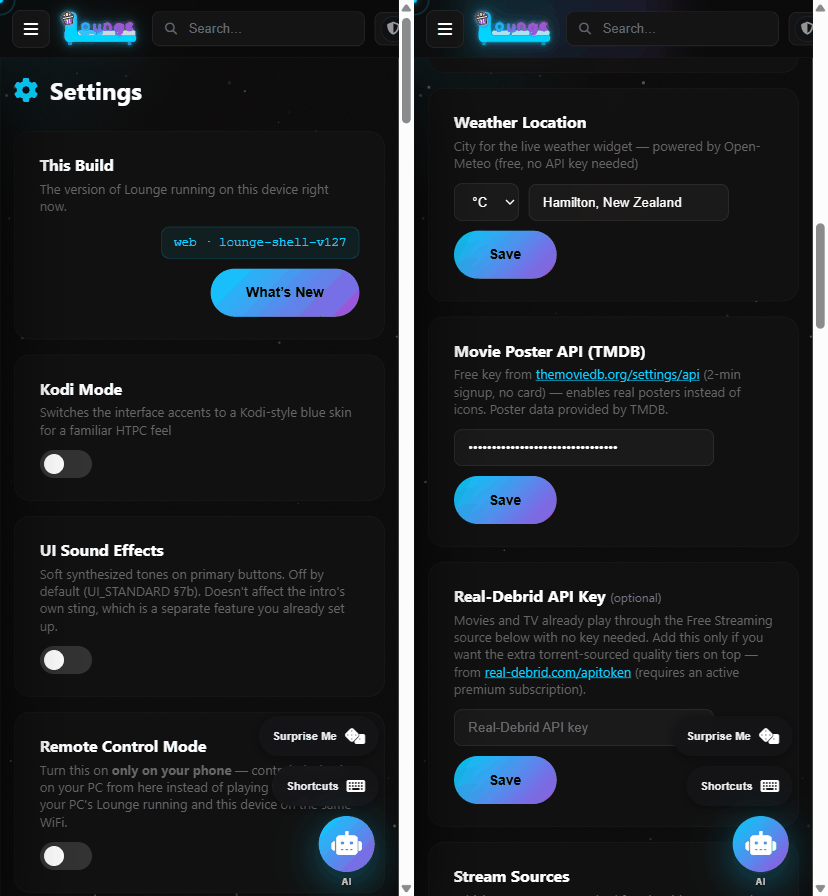
- Always open Nexus via Launch Nexus.vbs in the C:\NEXUS folder — never double-click the HTML file directly. This starts a small local server, which Real-Debrid requires to work at all.
- Go to Settings and paste in your API keys: TMDB (free, needed for posters/search), Real-Debrid (needed for playback), Groq (free, powers the AI Assistant), OpenSubtitles (free, optional — enables real subtitles).
- The first time you press play, Chrome will show a one-time "Open Windows PowerShell?" popup — tick Always allow and click Open. This is the real, legitimate handoff to mpv (the video player) — not a bug.
2. Browsing & Searching
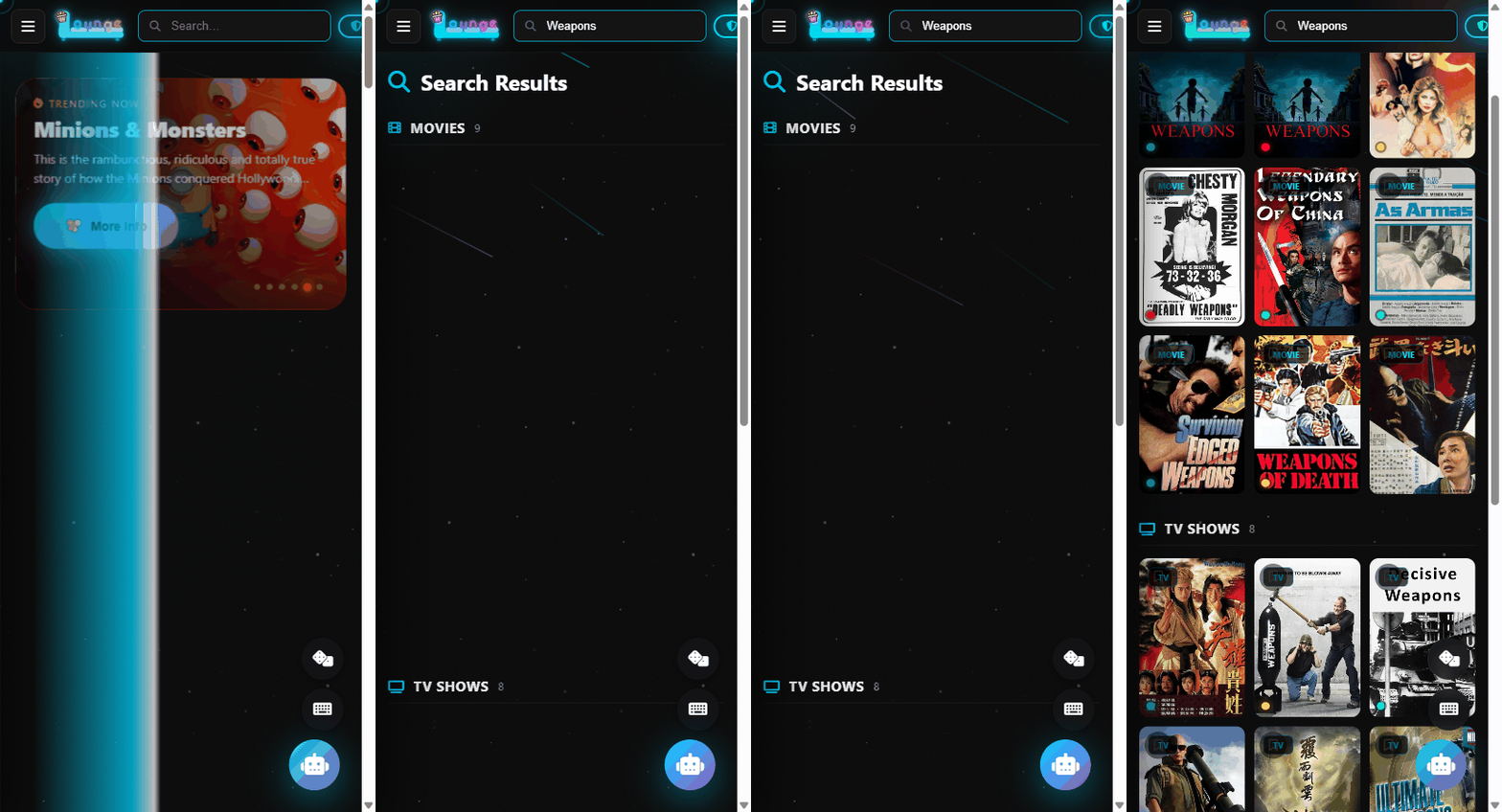
- Use the search bar at the top to find anything — it searches your local library instantly, then live TMDB results as you keep typing.
- Movies, TV Shows, Anime, and Bollywood each have their own section — Movies/TV/Live TV sit in the top bar, the rest under "More" — pulling real, current titles from TMDB.
- Bollywood and Anime have category tabs (Action, 2024 Releases, Tamil, Telugu, etc.) that filter to real, distinct results — not decorative.
3. Playing Movies & TV Shows
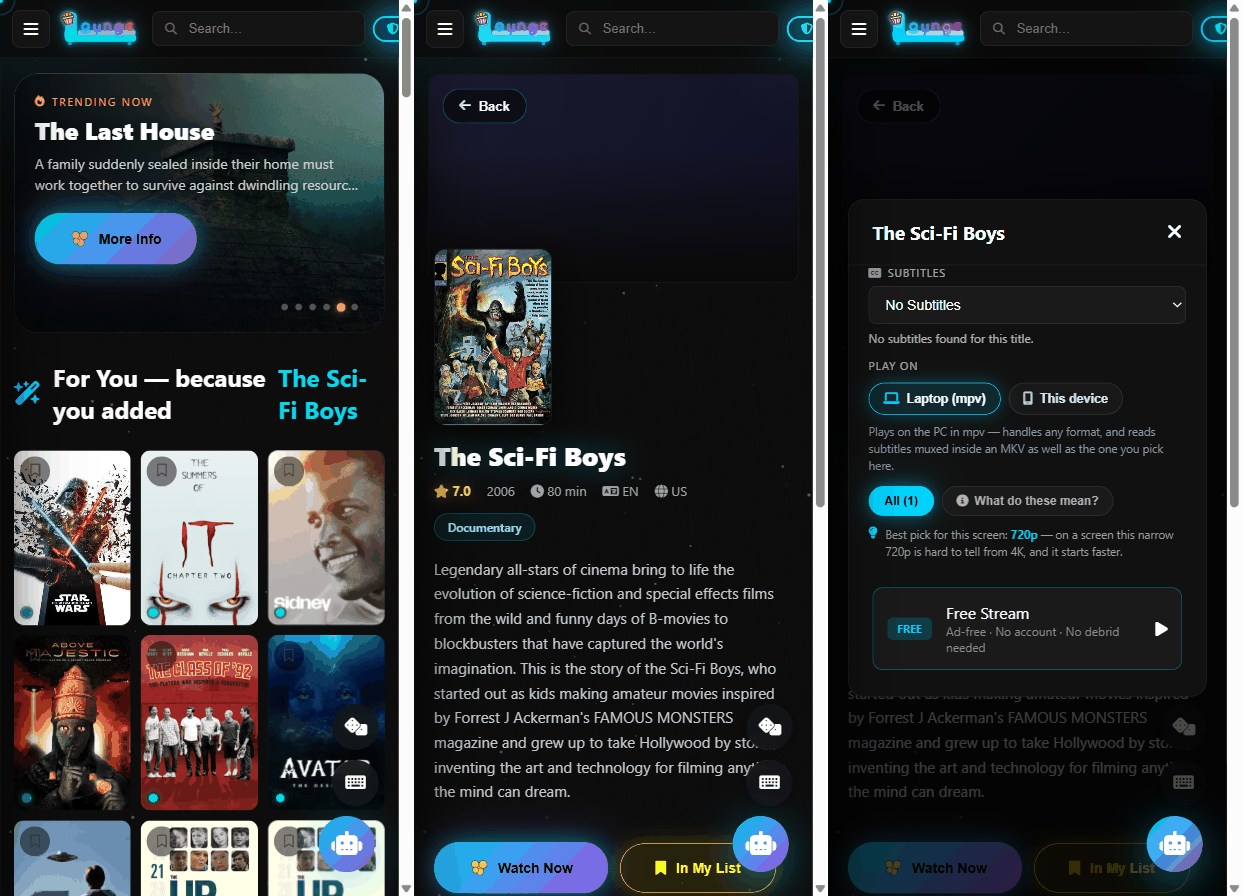
- Click any movie poster to open the stream picker — it searches real sources and shows quality-filtered results (4K/1080p/720p/etc, colour-coded).
- For TV shows, clicking the poster opens Seasons first, then Episodes, then the same stream picker.
- If subtitles are found for that title, a language dropdown appears above the stream list — pick one before clicking play.
- Playback opens in a small corner window (top-right) that stays on top of other apps, so you can keep browsing or working while watching.
4. Favourites & Live Sports
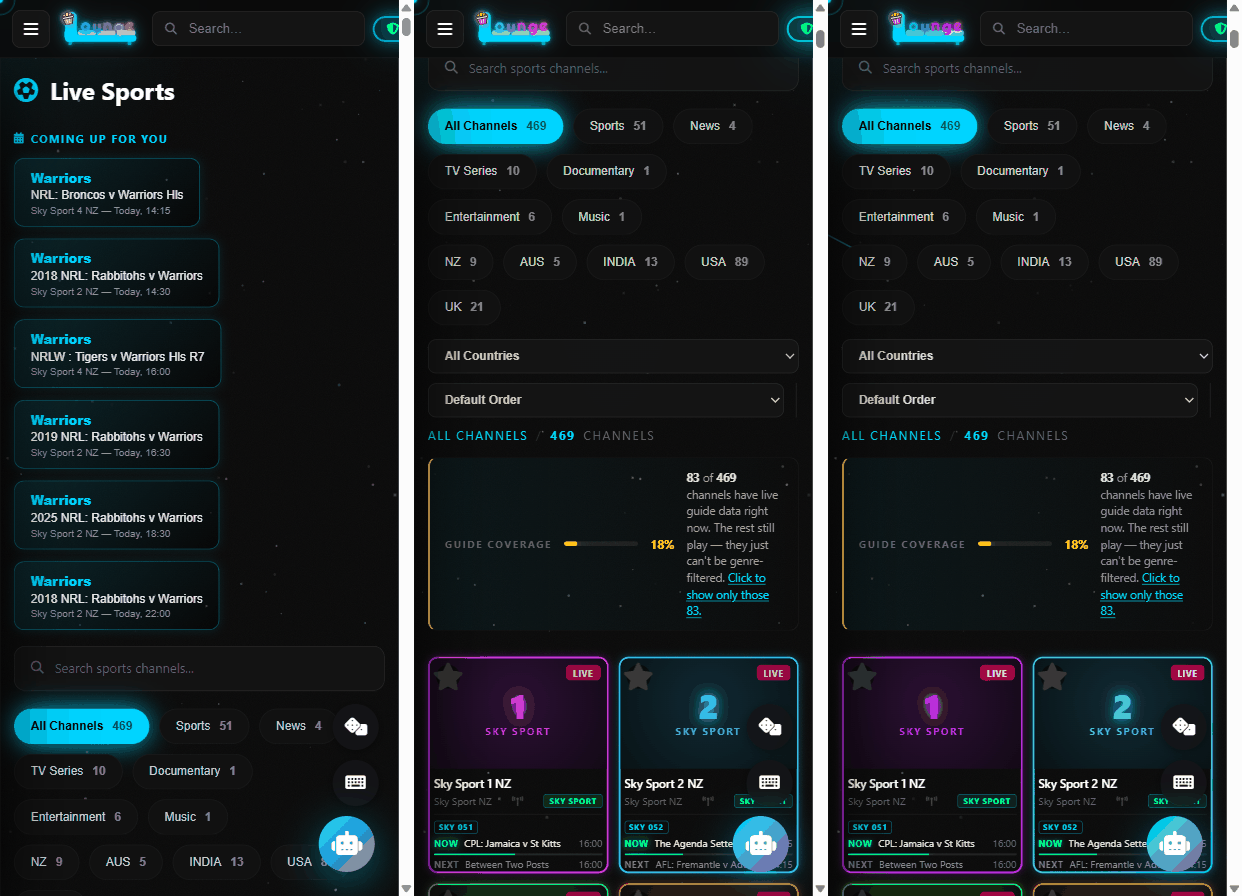
- In Sports or Live TV, click the star icon on any channel to favourite it — favourited channels always sort to the top.
- Use the search box within those sections to find a specific channel by name.
- Note: some well-known channels (e.g. Sky Sport NZ, club-specific channels) aren't on the free legal channel list this app uses — only genuinely free-to-air/legal streams are included.
5. Troubleshooting
- "Something went wrong resolving this stream" — Real-Debrid calls are routed through Lounge's cloud content relay (whetudigital.co.nz) because Real-Debrid's API sends no CORS headers. This works with the PC off; check your internet connection, or that your Real-Debrid key in Settings is correct.
- Settings look empty / keys missing — each origin (file:// vs localhost:8899) has separate storage. If you ever see empty keys, re-paste them once on that origin; they'll stick from then on.
- Nothing happens on play — check you approved the one-time "Open Windows PowerShell?" popup with "Always allow" ticked.
This Build Update available
The version of Lounge running on this device right now.
Kodi Mode
Switches the interface accents to a Kodi-style blue skin for a familiar HTPC feel
Quick Actions Button
The Surprise Me / Shortcuts / AI Assistant panel floating bottom-right. On by default -- turn off if you'd rather the corner stay clear. AI Assistant stays reachable either way: it moves back to its own standalone button when this panel is off.
Ambient Mode
After 5 minutes idle, fades in a rotating backdrop + clock screensaver. On by default -- any key, click or touch wakes it instantly.
Customize Home
Reorder or hide the rails on your homepage. Works the same on a TV remote as a mouse.
Intro Sound
A short cinema-style sting plays the moment you press Enter on the boot intro. Off by default (UI_STANDARD §7b). Synthesized (Web Audio), no audio file. Separate from UI Sound Effects below -- this is a once-per-session cinematic beat, not a per-click tone.
UI Sound Effects
Soft synthesized tones on primary buttons. Off by default (UI_STANDARD §7b). Doesn't affect the intro's own sting, which is a separate feature you already set up.
Force TV Layout
Turn this on if the app doesn't automatically switch to the TV layout (overscan-safe margins, larger focus rings, fewer poster columns) on your TV. Takes effect on next reload.
Data Usage
Video data transferred through this browser tab. Useful on a metered connection. Doesn't see Chromecast or embedded-player playback -- those bytes never pass through this page.
Watch History
Clears your local "Continue Watching" list. This only lives in this browser/device — there's no account or cloud sync.
Remote Control Mode
Turn this on only on your phone — control playback on your PC from here instead of playing locally. Needs your PC's Lounge running and this device on the same WiFi.
PC's IP Address
Found in Lounge's console on your PC when it launches (e.g. 192.168.1.50) — only needed on the phone, not the PC itself
Remote PIN
4-8 digits — must match on both your phone and PC. Default 5591 if left unset.
YouTube Ad-Free (ReVanced)
ReVanced Manager patches your own YouTube and YouTube Music installs on-device to strip ads and add features (SponsorBlock, background play) — it isn't a separate YouTube app, it modifies the real one. MicroG is the companion Google-services replacement many patched setups need. Both open the official ReVanced GitHub releases in your browser to download and install yourself; nothing is bundled or installed by Lounge.
Weather Location
City for the live weather widget — powered by Open-Meteo (free, no API key needed)
Movie Poster API (TMDB)
Free key from themoviedb.org/settings/api (2-min signup, no card) — enables real posters instead of icons. Poster data provided by TMDB.
Real-Debrid API Key (optional)
Movies and TV already play through the Free Streaming source below with no key needed. Add this only if you want the extra torrent-sourced quality tiers on top — from real-debrid.com/apitoken (requires an active premium subscription).
Stream Sources
Which scrapers get searched for playable streams when you press play. More sources on means better coverage; turning one off can help if it's returning bad results right now.
Playback Sources
What Lounge can currently resolve a film or episode with. Live TV and Live Sports are separate and need none of these.
Groq API Key (AI Assistant)
From console.groq.com (free tier) — powers the AI Assistant chat.
OpenSubtitles API Key
From opensubtitles.com/en/consumers (free — sign up, create an API consumer) — enables real subtitle search/download for playback.
Trakt.tv Sync
Real watch-history sync, separate from the local "Continue Watching" list. Every movie/episode played from Lounge is pushed to your Trakt profile, viewable and tracked from any device. Free account, no VIP needed. Create an app at app.trakt.tv/settings/apps/api/new (Redirect URI can be anything, e.g. urn:ietf:wg:oauth:2.0:oob — the device flow below never uses it) to get a Client ID and Secret. If that page loads blank, try an Incognito window — an ad-blocker extension can prevent Trakt's settings page from rendering.
Simkl Sync
Same idea as Trakt sync above, but Simkl's free tier has no "one app" limit — useful if Trakt is already tied up elsewhere. Create an app at simkl.com/settings/developer/new (Redirect URI can be anything, e.g. http://localhost/callback — the PIN flow below never uses it) to get a Client ID.
VPN Setup Guide
Device-by-device instructions for putting Lounge's traffic behind a VPN — including which platforms can do it per-app and which can't. Informational only; nothing is installed or changed for you.
A web page cannot see whether a VPN app is running on your device — no browser gives it that power. What it can see is the public address the internet answers you on, and who owns it. When a VPN is carrying your traffic, that owner is the VPN company instead of your home provider. So: save your normal connection once, and this panel will tell you when the current one looks different. It is an indirect signal, not a verdict.
Pick the device you want to protect. Each platform routes VPN traffic differently — some can send only Lounge through the VPN (split tunnelling), some can't. These are instructions to follow yourself; Lounge never installs or configures VPN software for you.
Cinema Finder
Find movie showtimes at theaters near you
Opens Google search results in a new tab — no live showtimes API exists for free, so this isn't an in-app results grid.